Karo.bot vs Tasks.Bot for AI Task Automation Webhook Support
You need AI task automation that fires webhooks, and most task tools make you guess. If your workflow depends on triggering a Zapier action or syncing a custom endpoint when a task is created, vague documentation costs you hours of testing. This comparison looks at how Karo.bot and Tasks.Bot handle webhook support for AI-driven task creation.
By the end, you will know what Tasks.Bot offers through WhatsApp, how its automations and webhook support compare to Karo.bot, and which features like voice notes, GPS tracking, and face-verified attendance matter for field teams. You will also see pricing, beta status, and who each tool actually fits.
What Is Tasks.Bot? AI Task Automation via WhatsApp
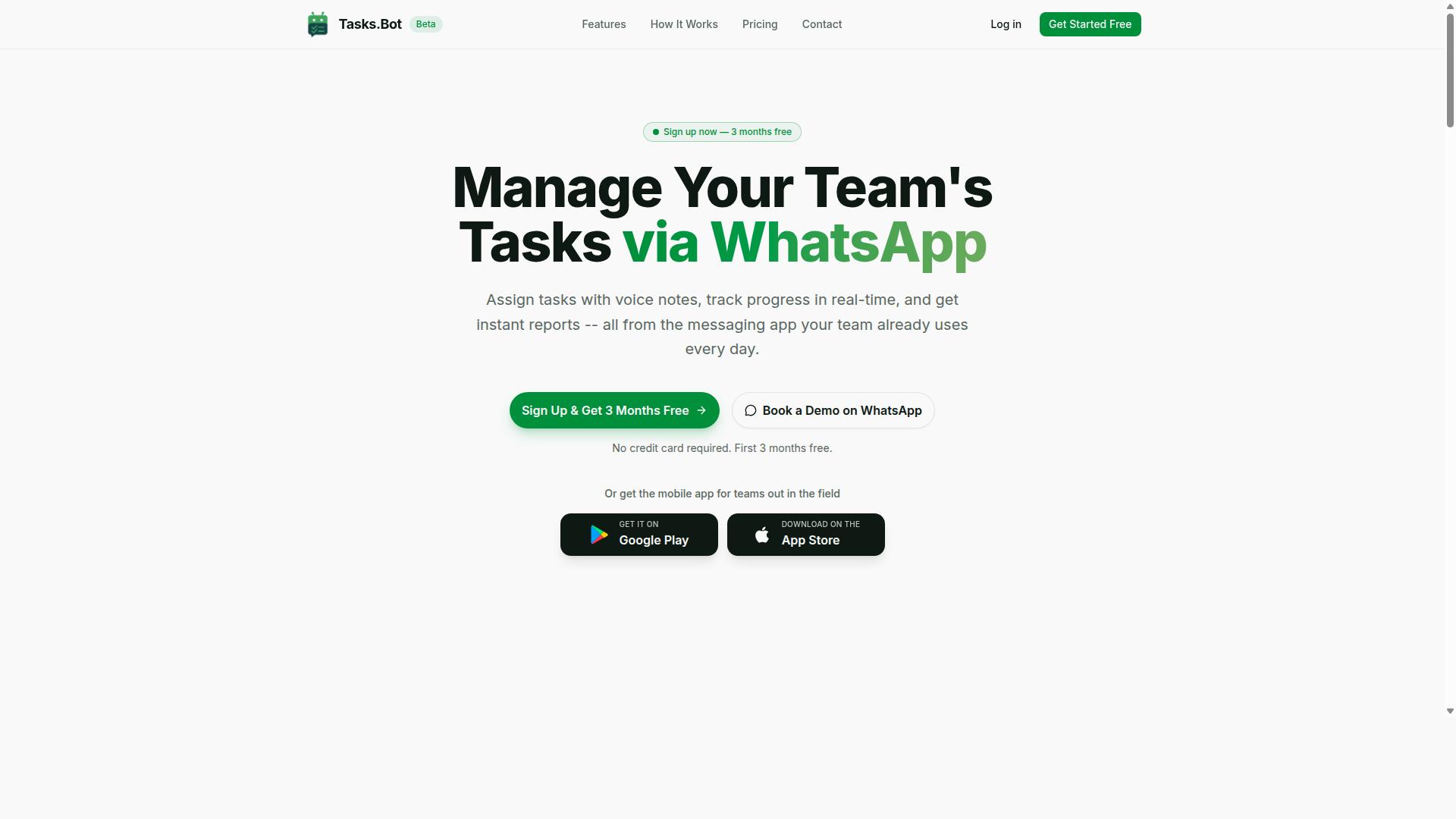
Tasks.Bot is a task management platform that operates entirely within WhatsApp, enabling teams to assign tasks, track progress, and receive reports without leaving the messaging app. Instead of asking people to learn a new dashboard or remember another login, it turns a tool they already use every day into the workspace itself.
The core idea is simple: task automation through a familiar interface. Because WhatsApp is already installed on most phones and understood by almost everyone, adoption friction drops. There is no new account to create for everyday use and no separate app install required to get started.
For teams that spend their day in the field rather than at a desk, Tasks.Bot also offers a mobile app for field teams. That gives on-the-ground staff a dedicated way to work with the platform while the rest of the team continues inside WhatsApp.
Tasks.Bot is currently in beta and offers a free trial period, which lets teams evaluate whether WhatsApp-native task management fits how they already work. It is used by hundreds of teams, a signal that the messaging-first approach resonates beyond a single industry or company size.
Where this matters for the wider conversation about AI task automation and webhook support is the interface layer. A task management bot that lives in a messaging app changes what "integration" means for the people using it: the human side of the workflow is already connected. Whether the platform's event-driven automation, webhook triggers, or REST API capabilities match a specific technical requirement is a separate question, and one worth checking against current documentation before committing a team to any automation platform.
Does Tasks.Bot Support AI Task Automation Webhooks?
As of now, Tasks.Bot does not publicly advertise webhook support for AI task automation, but it does offer automation capabilities within its platform. Webhook support is a common requirement for teams that want their task tools to talk to external systems. A webhook is essentially an event-driven HTTP callback: one system detects an event, then sends a JSON payload to another system's API endpoint in near real time.
Tasks.Bot's public documentation does not explicitly mention webhooks. That does not mean the platform is limited. Its internal automations and AI-driven task creation may cover many of the same needs that webhook integrations solve elsewhere.
For a task management bot built around WhatsApp, this distinction matters. A team may not need event-driven automation to fire into a third-party service if the bot already handles assignment, reminders, and reporting on its own. The sections below look at what Tasks.Bot offers and what a team should verify before assuming webhook support is missing or unnecessary.
How Tasks.Bot Handles AI Task Creation and Automations
Tasks.Bot leverages AI to interpret natural language and voice notes, converting them into actionable tasks within WhatsApp. A user can send a voice note to assign a task to a team member, and Tasks.Bot will handle the rest. The system automatically assigns tasks, sets deadlines, and sends smart deadline reminders.
This is AI task automation at the point of capture. There is no separate dashboard to open, no new account to create, and no app to install. Team members already live in WhatsApp, so task orchestration happens where the conversation already is.
Beyond creation, Tasks.Bot supports approvals and automations, and instant reports. It also offers tasks on a map, a live day tracker, face-verified attendance, and shifts, leave, and hours management. Each of these runs inside the platform rather than through an external webhook trigger.
- Voice note task creation that turns spoken instructions into assigned work
- Automatic assignment and deadlines set by the system after a task is captured
- Smart reminders that keep tasks from slipping
- Approvals and automations for repeatable workflows
- Instant reports for visibility without manual compilation
For many teams, this internal automation replaces the need for asynchronous communication between separate tools. The workflow stays in one place, which reduces setup and failure points. Native WhatsApp integration, plus Android and iOS apps with push notifications, voice capture, and a home screen widget, keeps the experience consistent across devices.
Webhook Support: What Tasks.Bot Offers vs What to Verify
While Tasks.Bot does not list webhook support as a feature, teams should verify whether it offers API endpoints or integrations with automation platforms like Zapier or Make. The public documentation does not describe webhook triggers, payload delivery, or REST API access. That absence is worth confirming directly rather than assuming.
If webhook support is critical to your stack, here are practical steps to take:
- Contact Tasks.Bot support and ask specifically about API access, webhook triggers, and outbound event notifications.
- Ask about automation platforms. Inquire whether Tasks.Bot connects with Zapier, Make, n8n, IFTTT, or similar tools.
- Test external workflows. See whether an action in Tasks.Bot can trigger a response in another system, such as Slack, Discord, Microsoft Teams, Telegram, or Google Workspace.
- Map your use cases. List which events truly need to leave the platform and which can stay inside it.
Typical webhook functionality means one system fires an HTTP callback to another whenever a defined event occurs. Tasks.Bot's internal automations may already cover many of those same needs. Task assignment, scheduling, and reporting all run natively, so a team may find that event-driven automation to a third-party service is not required.
For teams where webhook integration is a hard requirement, the honest answer is to inquire directly. For everyone else, Tasks.Bot's built-in automation, enterprise-grade encryption, and three-month free trial with no credit card required make it a strong fit for AI task automation without the complexity of stitching tools together.
Key Features That Make Tasks.Bot Stand Out
Tasks.Bot distinguishes itself with a suite of features designed for teams that rely on WhatsApp, from AI-powered task creation to field staff management. This is an automation platform built around the messaging app that most teams already use every day, rather than another dashboard people have to learn.
The practical result is that team members don't need to install anything or create new accounts. Everything happens inside WhatsApp itself, which lowers the barrier for adoption across office staff and field workers alike. AI interprets natural language and voice notes to create tasks, so task assignment and task scheduling start from a simple message instead of a form.
These features matter most for WhatsApp-first teams, particularly those managing field staff who are rarely at a desk. Face-verified attendance, GPS tracking, and a live day tracker give managers visibility that a conventional task management bot cannot provide. Meanwhile, voice notes, smart reminders, and approvals keep work moving without constant manual follow-up.
The sections below break down these standout capabilities in detail, starting with voice-driven task creation and the approval workflows that keep quality in check, then moving to the field staff tools that set Tasks.Bot apart.
Voice Notes, Smart Reminders, and Approvals
Tasks.Bot allows users to create tasks via voice notes, automatically assigns them, and sends smart deadline reminders to keep projects on track. The AI behind the platform understands user intent from a spoken message, so a manager can describe what needs doing and let the bot handle the rest.
Automatic assignment means tasks reach the right person without a manual handoff. Smart deadline reminders then adapt to the timing of each task, so recurring tasks and one-off jobs both stay visible. This reduces the back-and-forth that typically slows down task orchestration in busy teams.
Approval workflows add a layer of control. A task can require approval before it is marked complete, which is useful when the quality of finished work matters. Consider a scenario: a manager sends a voice note describing a job, Tasks.Bot assigns it to a field worker, reminders keep it on schedule, and completion requires a photo approval before the task closes.
That single flow replaces several disconnected steps. The manager speaks once, the task is created and assigned, reminders fire automatically, and the proof of completion is captured in the same thread. For teams juggling many small jobs, the efficiency gains add up quickly, since task assignment and follow-up no longer depend on someone remembering to chase each item.
Face-Verified Attendance, GPS Tracking, and Live Day Tracker
For teams with field staff, Tasks.Bot offers face-verified attendance, GPS tracking, and a live day tracker to monitor work progress in real time. Together these features address a common gap: knowing whether remote or mobile workers actually showed up and completed their assigned jobs.
Face verification confirms that the person checking in is who they claim to be, which strengthens accountability across shifts. GPS tracking records locations tied to task completion, so managers can see where work was carried out. The live day tracker provides a timeline of activities, giving a running view of task status throughout the day.
These tools integrate directly with task management rather than sitting in a separate system. As an example, a field technician checks in with face verification, their location is logged, and the live tracker shows each task's progress as the day unfolds. A manager can review the whole picture without placing a single phone call.
Tasks.Bot also supports shifts, leave, and hours management, so attendance and scheduling data live alongside the tasks themselves. For organizations that coordinate dispersed teams, this combination of verification, location, and timeline visibility turns scattered updates into one coherent record, all inside the WhatsApp thread the team already uses.
Pricing and Plans
Tasks.Bot offers a single 'Full Access' plan with all features included, priced per member per month or annually. That structure keeps the decision simple. There are no tiered feature gates to compare, no confusing upgrade paths, and no need to guess which plan unlocks which capability.
For teams evaluating an automation platform, pricing transparency matters as much as the feature set itself. A flat plan means every member on your workspace gets the same access to AI task automation and task orchestration tools. You scale by adding members, not by chasing higher tiers.
| Plan | Price | Billing Cycle |
|---|---|---|
| Monthly | ₹200 per member | Billed every month |
| Annual | ₹1,200 per member | Billed once per year |
The annual plan works out to ₹100 per month per member, a saving of 50% compared with paying monthly. For a team of five, that difference adds up quickly across a year. The annual option also saves ₹1,200 per year per member, which is the equivalent of getting six months free.
Pricing is available in both Indian Rupees (₹) and US Dollars ($). The site includes a 'Select currency' option with Indian Rupee and US Dollar choices, so verify the currency setting before you check out. This matters for teams spread across regions, since the displayed figure should match your billing preference.
New users also get 3 months free, with no credit card required, and can cancel anytime. That trial window gives a team enough time to test the platform against actual project management work rather than a demo sandbox.
One caveat worth noting: Tasks.Bot is currently in beta, which may affect pricing or features over time. Beta pricing can shift as a product matures, so treat any figure here as a snapshot rather than a permanent guarantee. Always check the website for current pricing and any beta discounts before committing a team to an annual plan.
When comparing this against Karo.bot or any other task management bot, put the numbers side by side on a per-member basis. A low headline price with feature gates can cost more than a flat plan once every team member needs access. With Tasks.Bot, the per-member rate covers the full feature set, which makes budgeting for an automation workflow straightforward.
For small teams, the monthly plan limits upfront commitment and suits short pilot projects. For stable teams running recurring tasks daily, the annual plan lowers the effective rate and locks in predictable costs. Either way, confirm the currency, check the beta status, and validate the current terms on the site before purchase.
Trust Signals: Beta Status, Encryption, and Refund Policy
Tasks.Bot is currently in beta, which means features may evolve, but the platform offers encryption and a refund policy to build trust. For anyone weighing an automation platform for serious work, those three signals, maturity stage, data protection, and a stated refund path, matter as much as the feature list itself.
Beta status is a double-edged sword. On one hand, it tells you the product is still being shaped, so bugs and rapid changes are possible. On the other, early adopters often get closer attention from the team and a real say in where the roadmap goes.
What beta should never mean is unclear risk. When a service is upfront about its stage, users can plan accordingly: test critical workflows on non-essential tasks first, keep backups of important data, and expand usage as confidence grows.
The verified facts about Tasks.Bot are straightforward. The service is in beta, the site states a refund policy in the footer, and the copyright year is 2026. There is also a Book a Demo on WhatsApp option, which gives prospective users a direct way to ask questions before committing.
Encryption is the second trust signal. For any AI task automation setup, data moves between systems constantly. Encryption protects that traffic and the stored data behind it.
When evaluating any automation platform, including ones that connect to Slack, Discord, Microsoft Teams, Telegram, or Google Workspace, treat encryption as a baseline requirement rather than a bonus. If your workflows touch client data, internal tickets, or project management records, unprotected transmission is a non-starter.
The refund policy is the third signal, and it lives in the footer of the site. That placement is common, but it also means it is easy to miss. Before subscribing, read the terms in full: what window applies, what conditions exist, and how a request is made.
- Beta stage: features may change, so validate core workflows early
- Encryption: protects data in transit and at rest across integrations
- Refund policy: stated in the footer, review the terms before paying
- Book a Demo on WhatsApp: a direct channel to ask about any of the above
A refund policy does not replace due diligence, but it does reduce the cost of trying. Combined with a live demo option, it means a prospective user can ask pointed questions about reliability, API endpoint behavior, and data handling before any money changes hands.
Beta products also tend to be more responsive to feedback. Teams at this stage are usually still proving the product, so reported issues and feature requests often get noticed faster than they would at a large, settled vendor. That responsiveness is itself a trust signal.
The practical takeaway is simple. Treat the beta label as information, not a warning. Confirm encryption covers your use case, read the refund terms in the footer, and use the WhatsApp demo option to get answers in writing.
Do those three things and the risk profile becomes clear and manageable. Tasks.Bot presents its stage, its protections, and its refund path openly, which is exactly what a credible automation platform should do.
Who Should Use Tasks.Bot
Tasks.Bot is ideal for teams that already use WhatsApp for communication, especially those with field staff needing task management, attendance tracking, and payroll-ready hours. Rather than forcing a workforce onto yet another app, it meets people where they already are.
That single design choice shapes everything about who gets the most value from the platform. If your daily coordination already happens in WhatsApp chats, Tasks.Bot slots into that habit instead of competing with it.
The clearest fit is any organization where a meaningful share of the team works away from a desk. Field-based teams are the core audience, because they rarely sit in front of a laptop and often resist adopting new software mid-shift.
Tasks.Bot removes that friction. There is no new app to install for staff, and tasks plus attendance are managed within WhatsApp itself. A worker who already knows how to send a message can participate from day one.
Several industries map naturally onto this model:
- Construction, where crews move between sites and supervisors need to assign work and confirm who showed up.
- Delivery and logistics, where drivers are constantly in transit and updates need to reach them instantly.
- Maintenance and repair services, where technicians handle multiple jobs per day across different locations.
- Cleaning, security, and facilities, where shift-based attendance and payroll-ready hours matter most.
These are environments where a missed message or an unrecorded shift creates real administrative pain. Keeping task assignment and attendance in one familiar channel reduces the chance that either gets dropped.
Team size is less of a constraint than team structure. A small crew with a handful of field workers can benefit just as much as a larger operation, as long as WhatsApp is already the backbone of communication. What matters is whether work is distributed across people who are not sitting together.
Tasks.Bot is already used by hundreds of teams, which suggests the approach holds up across different sizes and sectors rather than suiting only one niche.
If your people are on the move, if attendance needs to feed into payroll, and if you would rather not introduce another login, Tasks.Bot is built for exactly that situation. Teams tied to desktop tools and office-based workflows may find less advantage, since the whole value rests on meeting field staff inside WhatsApp.
Final Verdict: Tasks.Bot for AI Task Automation Webhook Support
Tasks.Bot excels at AI-driven task automation within WhatsApp, but its webhook support for external integrations is not explicitly documented, so teams requiring that should verify directly. That single gap shapes the verdict below, and it should not overshadow what the platform does well.
Where Tasks.Bot stands out is the core of its design. It handles AI task creation, letting users turn plain instructions into structured tasks without manual form filling. It also supports voice notes, which matters for teams who work on the move and would rather speak a task than type one.
Field staff management is another clear strength. For distributed teams, a task management bot that lives inside WhatsApp removes the friction of installing and learning a separate app. Adoption tends to be faster when the tool already sits in the messaging app people open every day.
The platform is also in beta, and pricing details are not published in the verified information available. Teams evaluating it should treat the current stage as a factor in planning, particularly if they intend to build long-term automation workflows on top of it.
On webhook support, the honest position is uncertainty rather than absence. No public documentation confirms an HTTP callback system, a JSON payload format, or a REST API endpoint for event-driven automation. That does not mean the capability is missing. It means it is not confirmed.
For readers weighing this against Karo.bot or any other automation platform, the practical test is simple: list the integrations you actually need, then confirm each one before committing. A feature comparison is only useful when the compared facts are verified on both sides.
Here is a short summary of where Tasks.Bot fits best:
- Strong fit: WhatsApp-centric teams running internal task assignment, task scheduling, and recurring tasks
- Strong fit: Managers coordinating field staff who need voice notes and fast AI task creation
- Verify first: Teams needing webhook triggers, JSON payload delivery, or connections to third-party services such as Zapier, Make, n8n, IFTTT, Slack, Discord, Microsoft Teams, Telegram, or Google Workspace
- Plan around: Beta status and unpublished pricing when scoping a long-term rollout
The balanced recommendation is this. If your automation needs live inside WhatsApp and center on task orchestration for internal teams, Tasks.Bot is a sensible choice. If your architecture depends on webhook integration and real-time notifications flowing to outside systems, contact the team directly before you build on assumptions.
Reaching them is straightforward. Call +91 97143 42522 or email [email protected]. A Book a Demo on WhatsApp option is also available for teams who prefer to see the product in action before deciding.
Ask specifically about webhook support, API endpoint availability, and asynchronous communication options during that conversation. Those answers will tell you quickly whether Tasks.Bot matches your integration capabilities requirements or whether your use case is better served by an internal-only deployment.
For the audience it is built for, the verdict is positive. Tasks.Bot delivers practical AI task automation in the channel where its users already work, and the remaining questions are ones a direct conversation can settle.
Frequently Asked Questions
What makes Tasks.Bot different from Karo.bot for webhook-based task automation?
Tasks.Bot is a task management platform that runs entirely inside WhatsApp, so teams can assign tasks, track progress, and receive reports without installing anything or creating new accounts. It uses AI to understand natural language and voice notes for task creation, and supports webhooks and automations as part of its feature set. If you're comparing tools, the key question is whether the automation fits the way your team already communicates - for WhatsApp-first teams, Tasks.Bot keeps everything in one place.
Do I need technical skills to set up webhook automations with Tasks.Bot?
Tasks.Bot is built for teams that use WhatsApp for communication, including field staff who need task management, attendance tracking, and payroll-ready hours. Automations and approvals are part of the platform's feature set, and the service is designed so team members don't need to install anything or create new accounts. For setup specifics or advanced webhook configurations, reach out to the team at [email protected] or +91 97143 42522.
How much does Tasks.Bot cost compared to other task automation bots?
Tasks.Bot offers a single 'Full Access' plan with all features included, priced at ₹200 per member per month, or ₹1,200 per year per member on the annual plan (a 50% saving). Pricing is available in both Indian Rupees and US Dollars. We can't speak to other tools' pricing, so we'd recommend checking their sites directly - but with Tasks.Bot there are no tiers or feature gates to compare.
Can Tasks.Bot handle field teams and not just office-based task automation?
Yes. Tasks.Bot is designed for teams that use WhatsApp, particularly those with field staff who need task management, attendance tracking, and payroll-ready hours. It includes face-verified attendance, tasks on a map, and live day tracking, plus a mobile app for field teams. This makes it a strong fit for operations where work happens outside the office.
How do I try Tasks.Bot before committing?
The easiest way is to use the 'Book a Demo on WhatsApp' option on the Tasks.Bot website - you can see how task creation, reminders, and reports work right inside the app. Tasks.Bot is currently in beta and the site mentions a refund policy, so you can evaluate it with low risk. Pricing is simple: one Full Access plan with everything included.
Is Tasks.Bot available in my country?
Yes - Tasks.Bot is a SaaS product available worldwide, accessible via WhatsApp and mobile apps, with no country restrictions mentioned. Because it operates inside WhatsApp, your team can get started without new accounts or installations. Pricing is offered in both Indian Rupees and US Dollars to suit different regions.
Recommended Resources: